πImport from Raw Seed
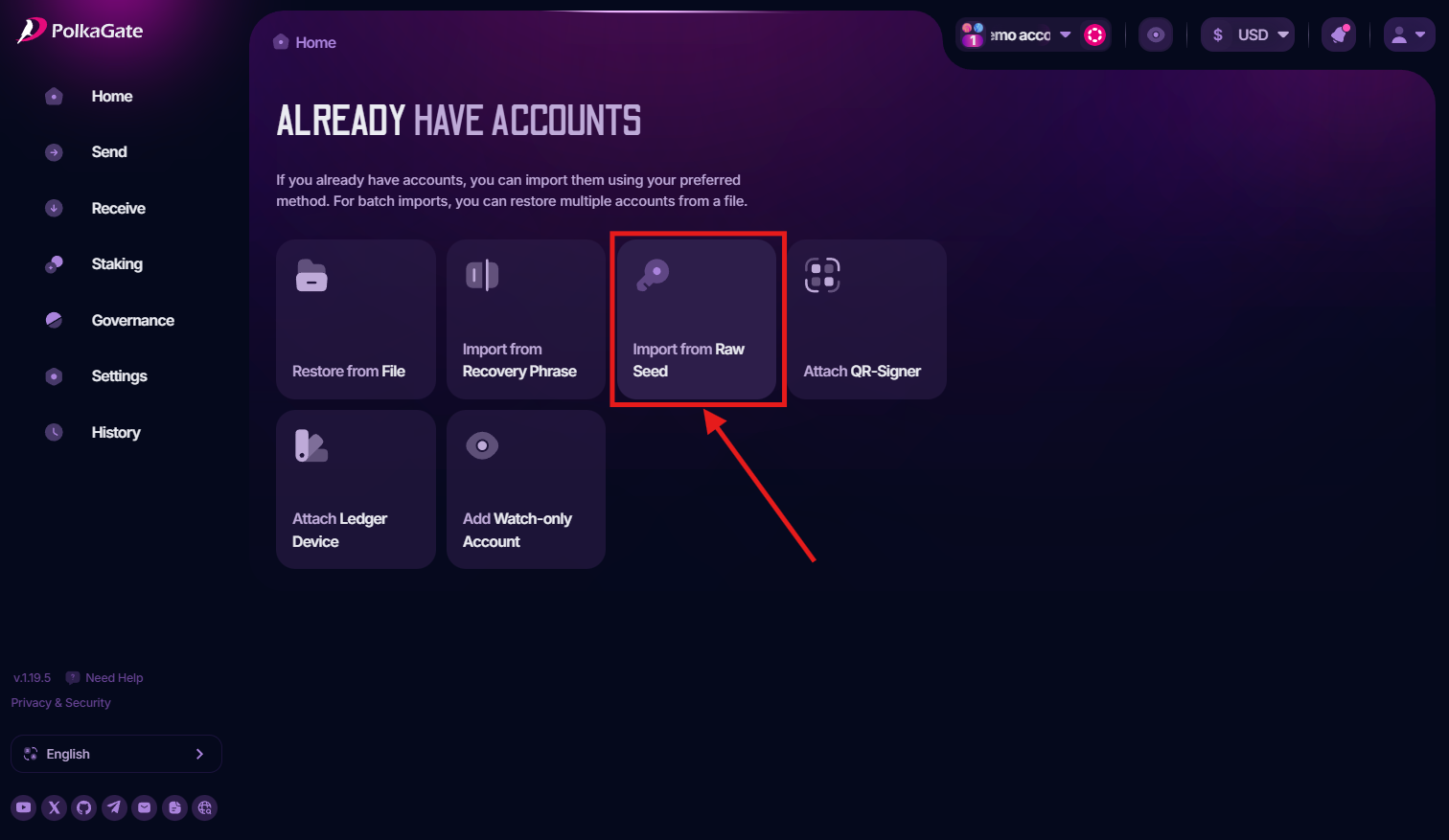
To import an account from Raw Seed (a 66-character string that starts with 0x) into the PolkaGate, youβll first see this option on the onboarding page after installing the extension. Simply click Already have accounts, then select Import from Raw Seed, as shown below.


If you already have accounts in the extension and want to import additional accounts using raw seed, simply open the Account Menu in the top corner and select Import Account (this will redirect you to the Already have accounts page).

Alternatively, you can go to Settings, open Account Settings, and then click Import Account.

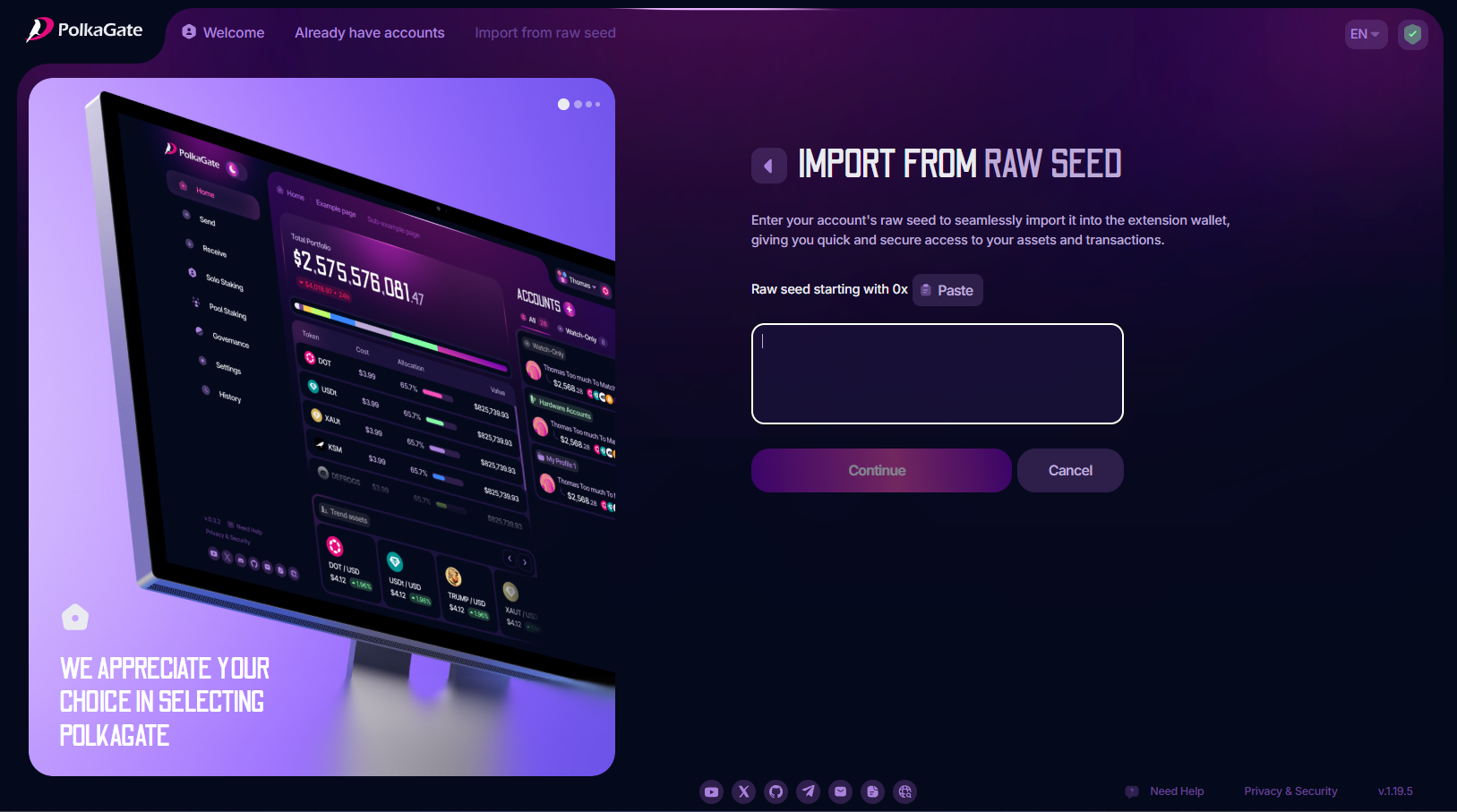
When you click Import from Raw Seed, youβll be taken to a page where you can enter (or paste) your raw seed into the text box.


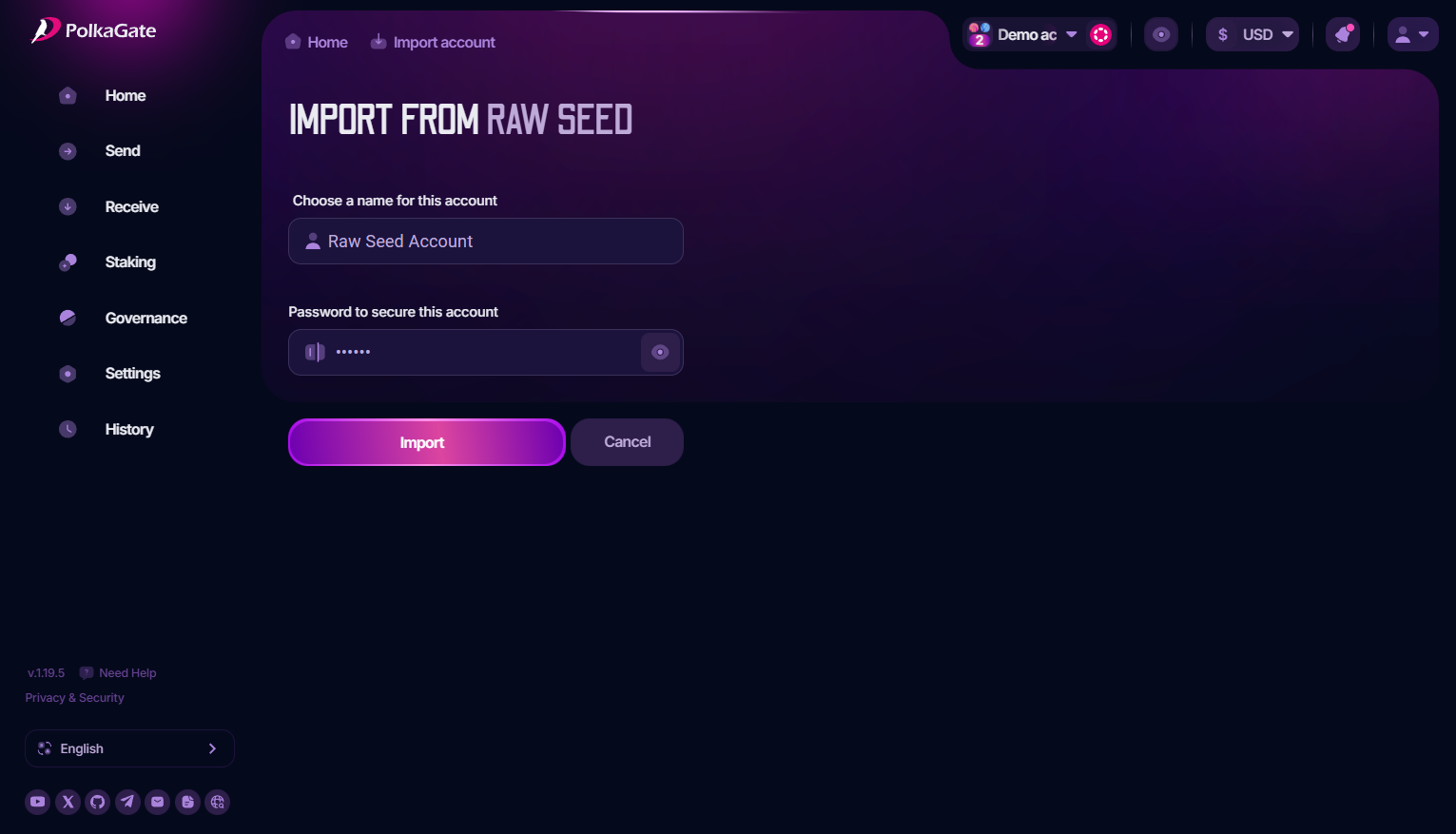
After entering a valid raw seed, click Continue to proceed to the next step, where youβll choose a name for your account. Once you enter the password click on the Import button, the account will be added to the extension.

Note: If you have already set a master password, you must enter that same password here. If this is your first time using the extension and no master password has been created yet, the password you set on this page will become your master password.
If you experience any issues with passwords, please refer to the Master Password documentation page.
Last updated