> For the complete documentation index, see [llms.txt](https://docs.polkagate.xyz/polkagate/llms.txt). Markdown versions of documentation pages are available by appending `.md` to page URLs; this page is available as [Markdown](https://docs.polkagate.xyz/polkagate/polkagate-extension-user-guide/settings/add-new-network.md).
# Add New Network
Add a custom network by providing its RPC endpoint
You can add a new network to the extension in addition to the preconfigured ones listed under **Settings → Networks**.
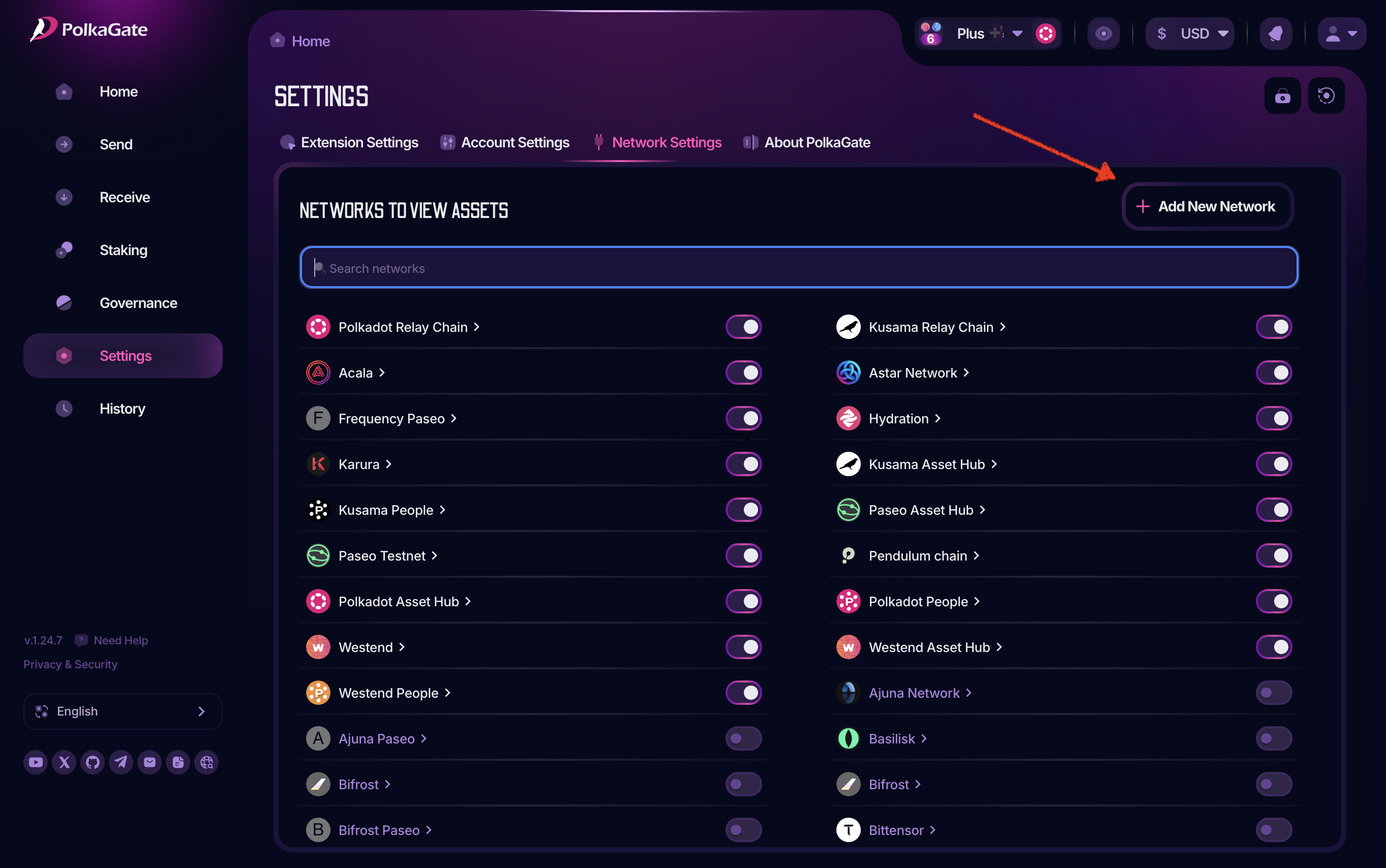
* Full-screen mode: The Add New Network button is located at the top right of the page.
* Extension view: Go to Settings → Extension Settings → Networks — the button appears at the end of the list.
Click “**Add New Network**” as shown in the screenshot below.
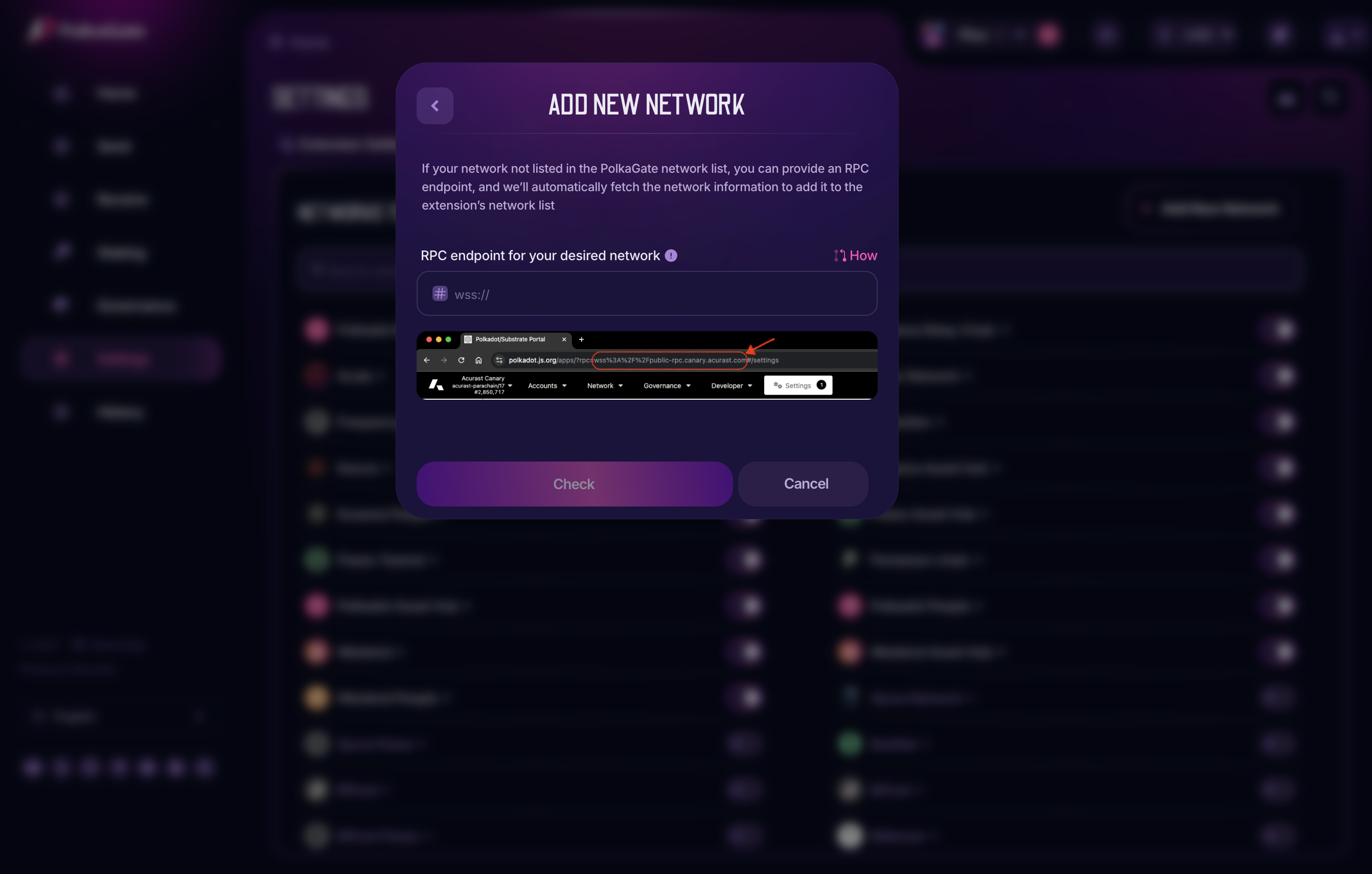
After clicking the button, a popup appears where you need to enter a valid **a valid RPC endpoint**.
You can obtain this URL from Polkadot.js Apps by selecting the chain you want to add and copying its endpoint. An example is shown when you click the “**How**” link.
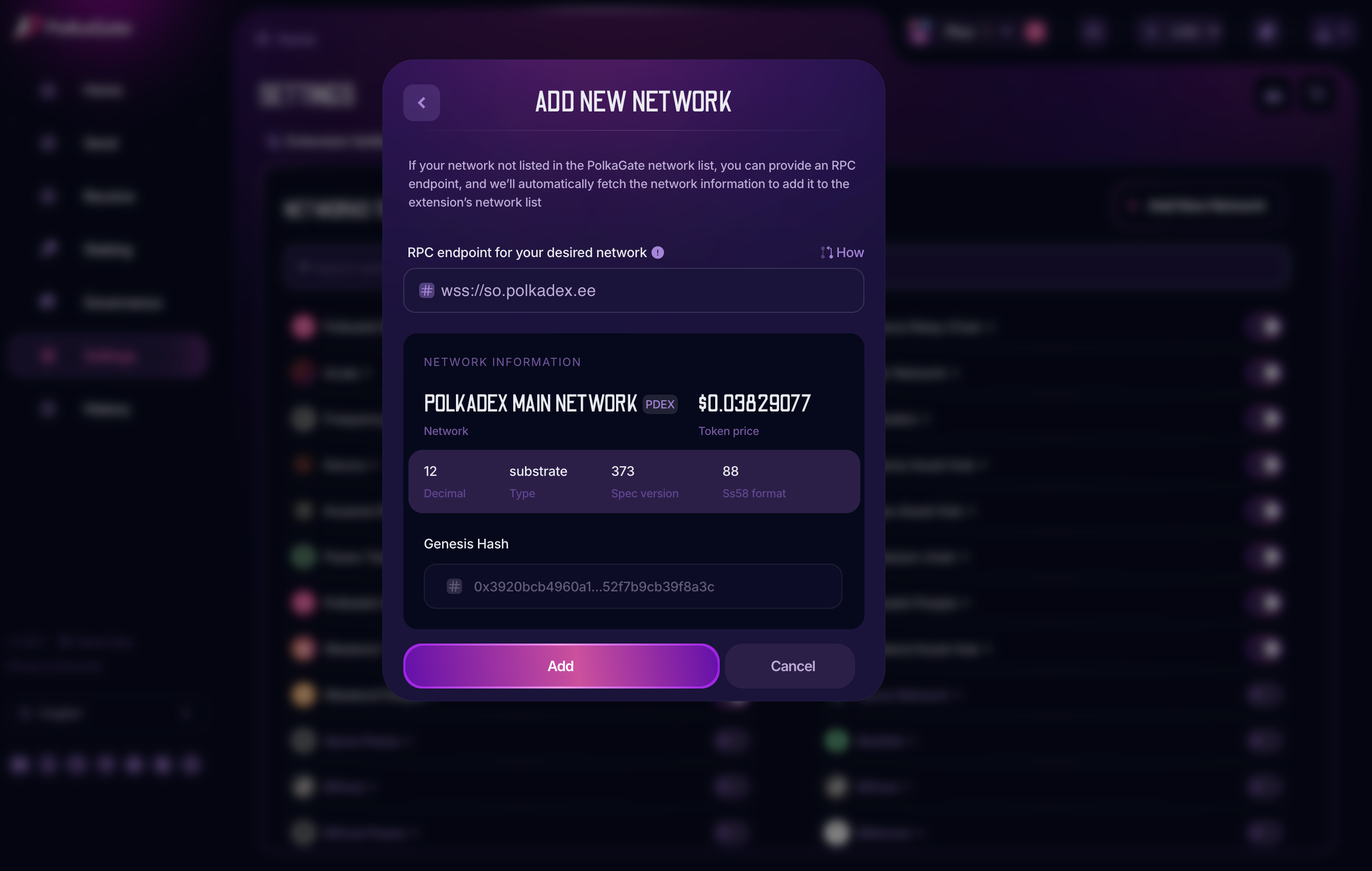
The extension attempts to fetch the network’s **native token price** automatically. If it fails, you can manually enter the token ticker (which you can find on CoinGecko) and click Find. This step is optional—you can still add the network even if the token’s fiat value is unavailable.
That’s it! Click **Add** in the window shown above to add the new network to the extension’s supported chains.